

Preventing Data Loss: Why Every IT Department Needs Backup Power
Picture this: Your team is in the middle of a critical quarterly report, servers are humming along processing important data, and suddenly: everything goes dark. A power outage hits, and in that split second, hours of unsaved work vanishes, databases become corrupted, and your carefully maintained systems crash without warning. This nightmare scenario happens more often than you'd think, and it's completely preventable with the right backup power strategy.
Data loss isn't just an inconvenience: it's a business killer. Studies show that 60% of companies that lose their data shut down within six months. While most IT departments focus heavily on cybersecurity and cloud backups, many overlook one of the most fundamental threats to their data: power failure.
The Hidden Dangers of Power Outages
When the lights go out, the damage goes far beyond just waiting for power to come back. Sudden power loss creates a cascade of problems that can devastate your data infrastructure:
System Crashes and Corruption: When servers shut down unexpectedly, they don't follow proper shutdown procedures. This can corrupt databases, leave files in incomplete states, and damage file systems. Even modern journaling file systems aren't immune to corruption when power cuts off mid-write.
Hardware Damage: Power surges and brownouts: common during outages and restoration: can fry sensitive equipment. A damaged server or storage array doesn't just mean downtime; it often means permanent data loss if backups aren't current or accessible.
Incomplete Backups: Many organizations run their backup processes during off-hours to minimize system impact. If power fails during these critical windows, you're left with incomplete or corrupted backup sets right when you need them most.

How Backup Power Protects Your Data
A robust backup power system does more than just keep the lights on: it creates a protective barrier around your entire data ecosystem. Here's how:
Uninterruptible Power Supply (UPS) Systems
UPS systems are your first line of defense against power problems. Unlike generators that take time to start up, a quality UPS provides instant power when the grid fails. APC by Schneider Electric and CyberPower both offer enterprise-grade UPS solutions that can keep your critical systems running for minutes to hours, depending on your power load and battery capacity.
The key benefits include:
- Immediate switchover: No interruption means no data corruption from sudden shutdowns
- Clean power conditioning: Protects against surges, sags, and electrical noise that can damage equipment
- Graceful shutdown capability: Gives systems time to close files properly and save data
- Network monitoring: Modern UPS units can alert your team and even trigger automated shutdown procedures
Extended Runtime Solutions
For longer outages, extended battery packs and external battery cabinets can keep your systems running for hours. This extended runtime is crucial for organizations that can't afford any data loss or service interruption. Vertiv and Minuteman offer scalable battery solutions that can extend your protection window significantly.

Real-World Scenarios Where Backup Power Saves the Day
Let's look at some common situations where backup power prevents data disasters:
The Midnight Backup Window
Your database backup starts at 2 AM and takes three hours to complete. At 3:30 AM, a transformer fails and kills power to your building. Without backup power, your backup process stops mid-stream, leaving you with a corrupted backup file and no recent recovery point. With a UPS system, the backup completes successfully, and your data remains protected.
The Storm Season Challenge
During severe weather, power can flicker on and off multiple times. Each power interruption forces systems to reboot, potentially corrupting open files and disrupting active processes. A line-interactive UPS handles these fluctuations seamlessly, keeping your systems stable while protecting against voltage variations that could damage equipment.
The Human Error Factor
Power outages don't just happen naturally: sometimes maintenance work, construction accidents, or simple mistakes can cut power unexpectedly. Backup power gives your IT team the time they need to assess the situation and respond appropriately, rather than scrambling to recover from an unexpected shutdown.
Choosing the Right Backup Power Strategy
Not all backup power solutions are created equal. Your choice depends on several factors:
Power Load Assessment
Start by calculating your critical power requirements. This includes:
- Servers and storage systems
- Network equipment (routers, switches, firewalls)
- Cooling systems (servers generate heat even during short outages)
- Monitoring and management systems
- Workstations for key personnel
Runtime Requirements
Consider how long you need systems to run on backup power:
- 5-15 minutes: Enough time for graceful shutdown and generator startup
- 30-60 minutes: Handles most brief outages and gives flexibility
- 2+ hours: Provides substantial protection for extended outages
Scalability and Growth
Choose systems that can grow with your needs. Many UPS manufacturers offer modular designs that allow you to add battery capacity or even additional UPS units as your requirements expand.

Beyond Basic UPS: Comprehensive Power Protection
While a basic UPS is essential, comprehensive data protection requires a layered approach:
IT Rack Power Distribution
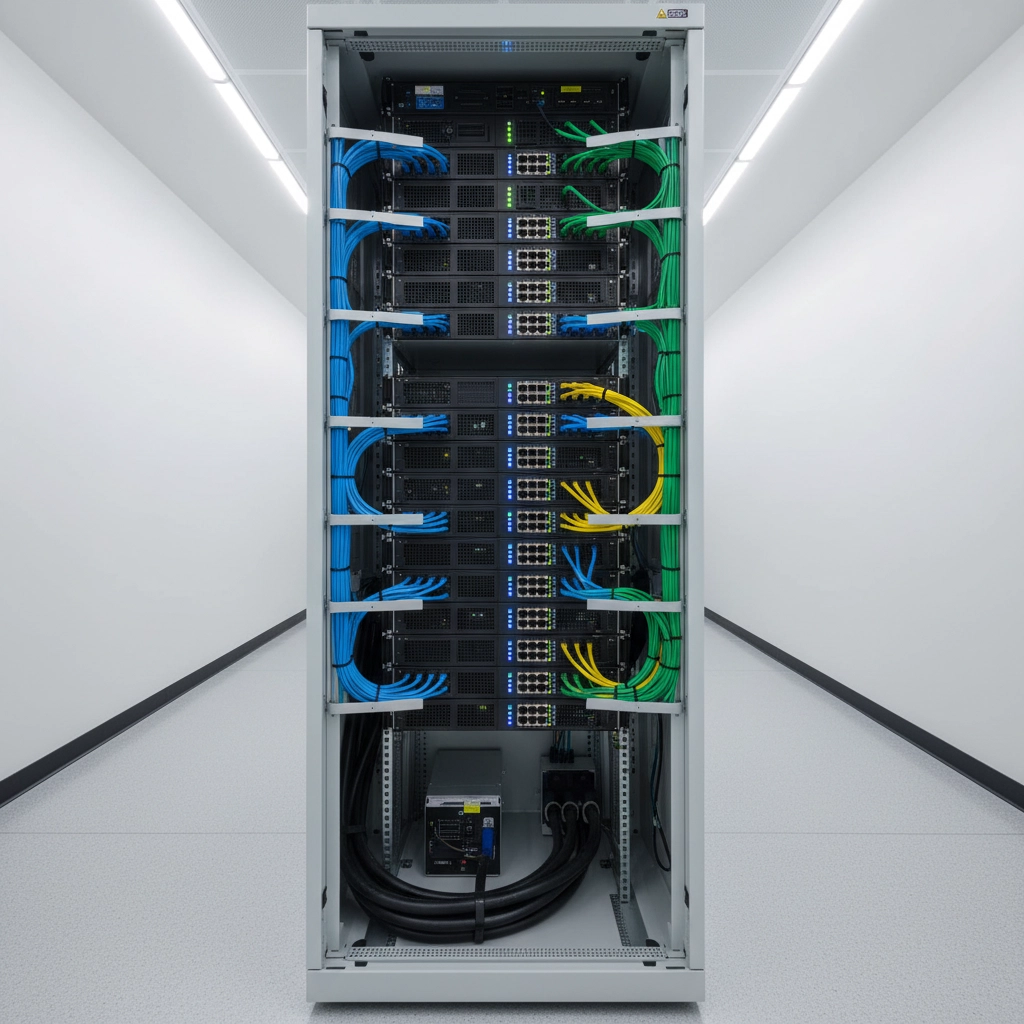
Proper power distribution within IT racks ensures that backup power reaches all critical components. Rack-mounted PDUs (Power Distribution Units) can provide individual outlet monitoring and control, helping you manage power consumption and identify potential issues before they cause problems.
Environmental Monitoring
Power outages often coincide with other environmental challenges. Temperature and humidity monitoring integrated with your backup power system can alert you to cooling system failures that might damage equipment even when backup power is working properly.
Remote Monitoring and Management
Modern backup power systems should integrate with your IT management infrastructure. This allows you to monitor power quality, battery health, and system status remotely: crucial for maintaining systems in unmanned facilities or during off-hours.
The ROI of Backup Power Investment
The cost of backup power systems might seem significant, but consider the alternative costs:
- Data recovery services: Professional data recovery can cost thousands of dollars with no guarantee of success
- Downtime losses: The average cost of IT downtime is $5,600 per minute for enterprise organizations
- Equipment replacement: Power-damaged hardware must be replaced, often at premium prices due to urgency
- Regulatory compliance: Many industries require specific data availability standards that backup power helps maintain
Most organizations find that backup power systems pay for themselves within the first major power event they prevent.
Implementation Best Practices
Getting backup power right requires careful planning:
Start with Critical Systems
You don't need to protect everything immediately. Identify your most critical systems and protect those first. This typically includes:
- Primary database servers
- Domain controllers and authentication systems
- Core network infrastructure
- Primary storage systems
Test Regularly
Backup power systems are only as good as their maintenance. Regular testing ensures batteries maintain capacity and systems switch over properly. Schedule monthly brief tests and annual full-load tests to verify performance.
Plan for Growth
Size your initial system with future expansion in mind. It's more cost-effective to install adequate electrical and cooling infrastructure upfront than to retrofit later.
Integrating with Your Overall Data Protection Strategy
Backup power shouldn't exist in isolation: it's one component of a comprehensive data protection approach that includes:
- Regular data backups to multiple locations
- Disaster recovery planning that accounts for various failure scenarios
- Cybersecurity measures to prevent data loss from attacks
- Employee training on proper shutdown procedures and emergency protocols
Taking Action: Next Steps for Your Organization
Don't wait for a power outage to reveal the gaps in your data protection strategy. Start by conducting a power audit to understand your current vulnerabilities and requirements. Document your critical systems, calculate power needs, and identify the backup power solutions that best fit your organization's needs and budget.
Consider partnering with a power protection specialist who can help design a system that integrates seamlessly with your existing infrastructure. The right backup power solution will provide peace of mind and protect your organization's most valuable asset: its data.
Remember, data loss from power outages is entirely preventable with proper planning and the right backup power infrastructure. Your data is too valuable to leave unprotected, and your business is too important to risk on the reliability of the electrical grid alone.
Ready to protect your data with reliable backup power solutions? Contact our team at Ace Real Time Solutions to discuss your specific requirements and find the perfect power protection system for your organization.